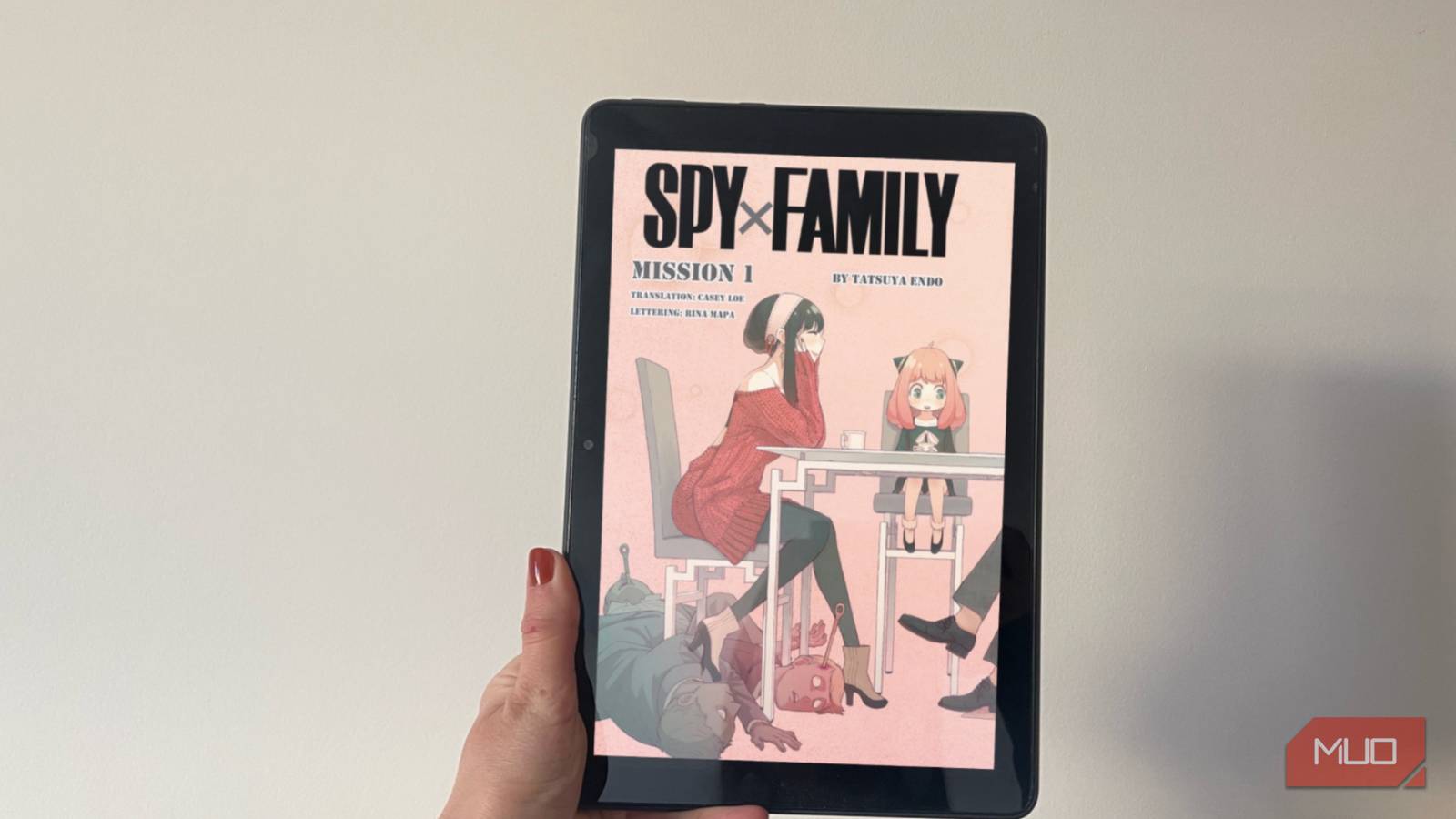
Summary
- Firmware version 5.19.6 brings back proper AZW3 and MOBI fixed-layout functionality, removing awkward borders and restoring seamless panel zoom and page scaling.
- This patch is currently available for the 2024 Kindle 11th Gen, Paperwhite 12th Gen, Colorsoft, and Scribe; older generations remain affected by the previous layout bug.
- To check for the update manually, go to Settings > Device Options > Advanced Options > Update Your Kindle. Note that rollout schedules can vary.
Anyone who regularly side-loads comics or manga onto an Amazon e-reader has likely spent the last half-year dealing with frustrating formatting glitches, massive white margins, and missing zoom capabilities. Fortunately, relief is here.
A software bug introduced back in February inadvertently disrupted how fixed-layout documents like MOBI and AZW3 files were rendered. While Amazon’s official changelog for the new 5.19.6 firmware highlights general performance enhancements and bug fixes rather than this specific layout issue, tests by Good e-reader verify that native AZW3 display capabilities and MOBI virtual panel navigation are fully functional once again.
Here is a breakdown of how this update affects your comic library and the steps to install it immediately.
Why the 5.19.2 update disrupted comic reading
Readers had to rely on tools like Calibre and Kindle Create to manually reformat their files.
The 5.19.2 release introduced cloud integration features, but it unfortunately compromised the presentation of fixed-layout media. Manga readers suddenly found their pages shrinking inside thick, distracting borders, alongside sluggish page turns and the complete absence of panel-by-panel viewing modes. Although Amazon maintained that AZW3 formats were supported, user-managed libraries suffered immensely while store-bought KFX files remained unaffected.
What version 5.19.6 fixes for your device
Compatibility is currently limited to recent hardware
The 5.19.6 patch restores proper formatting specifically for modern devices: the 2024 Kindle 11th Gen, the Paperwhite 12th Gen, the Colorsoft, and the Scribe. Owners of legacy models—such as the 10th Gen Paperwhite and older—will unfortunately not receive this particular patch, leaving them to rely on existing workarounds or hardware upgrades.

- Brand
-
Amazon
- Storage
-
16GB, 32GB, or 64GB
- Battery
-
12 weeks
- Display type
-
10.2-inch
Sideloaded AZW3 e-books and manga once again span the full display area without awkward padding. Furthermore, intuitive panel navigation is fully operational, letting users easily glide through graphical novels. Support for other formats remains unchanged—PDFs perform as they always have, while native EPUB support is still absent.
Because Amazon distributes software updates gradually in waves, your device might not detect the new package right away. For users who prefer not to wait, the firmware can be triggered manually using these steps:
- Power on your e-reader and verify it has an active Wi-Fi connection.
- Select the menu icon in the upper right corner and open Settings.
- Proceed to Device Options, followed by Advanced Options.
- Select Update Your Kindle to search for and initiate the installation of version 5.19.6.
If the update option appears grayed out, your device either already has the latest software or is still awaiting its turn in the rollout queue. Once installed, test out your preferred graphic novels and enjoy an unhindered reading experience.